
Secure Online Banking

Serving Texas since 1906.
Now with a Better Banking Experience.Banking with us is about to get even better.
From Thursday, October 23, through Monday, October 27, we will be upgrading our technology system to serve you more efficiently, expand our services to grow with your needs, and enhance your overall banking experience.
While most enhancements will happen behind the scenes, some banking services will be briefly impacted during the system upgrade weekend.
If you use Quicken or QuickBooks, please click here for additional information.
Learn More:
System Upgrade Weekend Schedule
Thank you for your patience as we improve our banking technology system! Some services will be temporarily unavailable. To help you plan ahead, click on the dates below for the complete schedule.
Thursday
3:00 PM - Bill pay will be unavailable until Monday, October 27*
Friday
Transaction Cutoff Times for Business Services:
12:00 PM - Positive Pay Exceptions
2:30 PM - International & Domestic Wires
3:00 PM - Automated Clearing House (ACH)
5:00 PM - Remote Deposit Capture (RDC); Positive Pay Issue Files
6:00 PM - Online & Mobile Banking
*Bill Pay transactions scheduled for Friday, October 24 will not process until Monday, October 27
Special Account Statement:
You will receive a partial statement for each checking and savings account covering all transactions from your last statement date through October 24, plus any interest that would have accrued through October 26. These statements will be printed and mailed to you, even if you currently receive only electronic statements. CD and IRA accounts will not receive statements for this period.
After System Upgrade: Your regular statement schedule will resume automatically. You’ll also have the option to request combined statements showing your CD, IRA, checking, and savings accounts instead of receiving separate statements. If you previously opted into electronic statements, you’ll automatically continue receiving them—no need to re-enroll.
Overview of Account Changes
As part of the system upgrade, you’ll notice a few changes to your accounts. What’s not changing? Your account numbers will stay the same for your convenience.
You’ll continue to enjoy free paper and online statements. Plus, you’ll have easier access to your accounts with our free, upgraded online, mobile, and telephone banking services.
Here’s a look at how your accounts will be integrated into the new system. Click the green arrow for more details on each account.
Personal Banking
If you currently have Free Checking, Golden Years Checking, or Benefit Checking, your new account will be:
If you currently have Regular Savings, your new account will be:
If you currently have NOW Checking or Benefit NOW, your new account will be:
If you currently have Regular Money Market, your new account will be:
Business Banking
If you currently have Business Checking or Non-Profit Checking, your new account will be:
If you currently have Commercial Savings, your new account will be:
If you currently have Commercial NOW or Non-Profit NOW, your new account will be:
If you currently have Commercial Money Market, your new account will be:
1 Six (6) withdrawals allowed per quarter ($3 per additional transaction)
2 Click here to view rate sheet, tiers, and Annual Percentage Yields (APY)
3 Six (6) withdrawals allowed per month ($3 per additional transaction)
NEW! Visa® Debit Cards
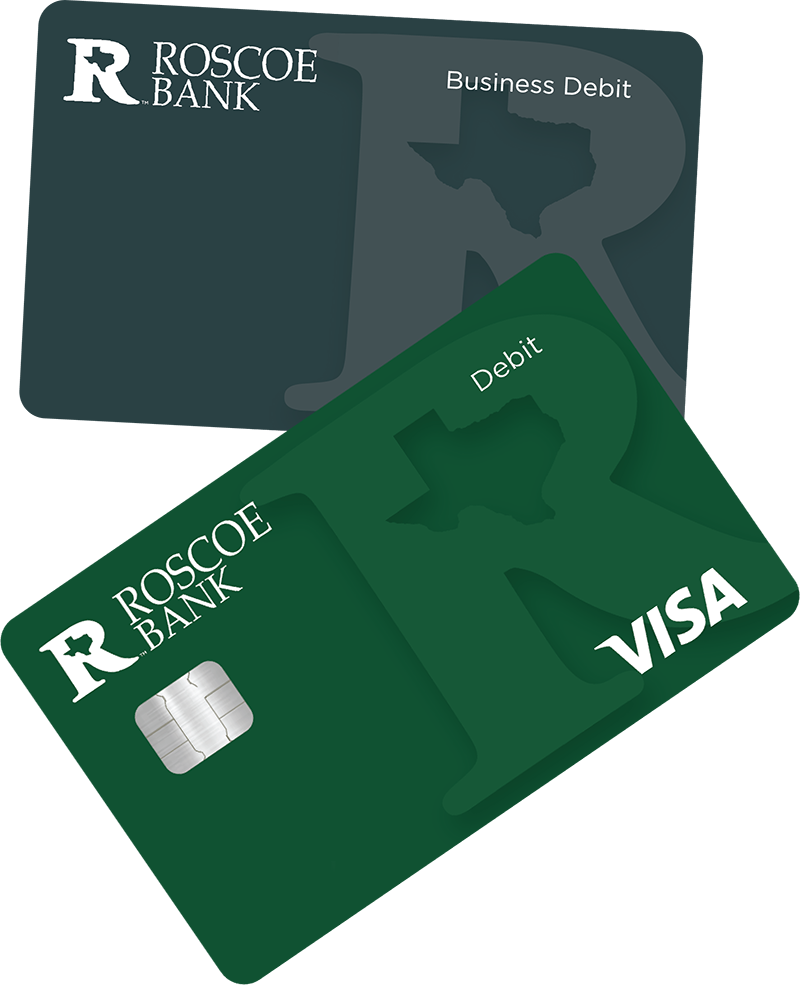
In October, you will receive a new Roscoe Visa® debit card to replace your current Debit Mastercard®.
What to Expect:
October 13: New debit cards will be mailed to you
October 26: Last day to use your current Mastercard®
October 27: Start using your new Visa® debit card
What's Improving:
New Debit Card Limits
You’ll have easier access to your cash with higher daily debit card limits:
Personal Accounts:
ATM: $500
Purchases: $2,500
Business Accounts:
ATM: $500
Purchases: $5,000
Expanded ATM Network
Enjoy access to over 55,000 free ATMs worldwide in the Allpoint Network.
Find ATM locations near you with the new mobile app.
Important Reminders:
- Your current Mastercard® will be deactivated on October 27
- Update recurring payments (utilities, subscriptions, etc.) with your new Visa® card
Frequently Asked Questions
Click below for answers to common questions about accounts, statements, and loans.
Personal and Online Mobile Banking
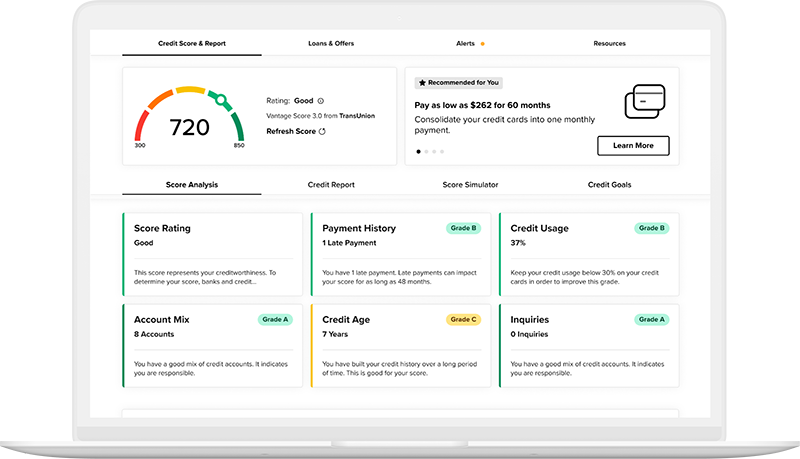
Starting Monday, October 27, you’ll enjoy improved navigation and new features like a credit score monitoring tool, advanced security, and streamlined account management.
- Use your current username and password
- Log in on desktop or mobile for first-time access
- Download the new Roscoe Online Banking Mobile app from the app store
Note: Face ID and fingerprint login won't work on your first login—please enter your credentials manually.
Important Reminder: If you haven't logged into Roscoe Online Banking within the last 12 months, you'll need to re-enroll in the new system starting Monday, October 27.
- Review and accept our Online and Mobile Banking Service Agreement and Disclosure
- Verify your identity and create a new password
Once you’re logged in, you’ll find:
- Up to 7 months of checking and savings account history
(Note: Check images processed prior to the upgrade will not be visible) - Up to 24 months of electronic statements
- All your current bill-pay payees and payment history
Account transfers and alerts: If you currently have internal or external account-to-account transfers or account alerts,
you’ll need to reset those in the new system
Track, understand, and manage your credit all in one place:
- Access to your real-time credit score and reports
- Personalized tips to help boost your credit
- Alerts that monitor for suspicious activity
- Easy-to-read credit breakdowns and educational resources
Get instant access to your account information with a simple text message. Starting October 27, you can enroll in this free service through the new online banking system.
Check your balance, view recent transactions, and more—anytime, anywhere, all from your phone!
Click here to view step-by-step instructions to help you get started.
Available October 27:
New Roscoe Personal & Business Banking App!
You will receive an email with app links and instructions closer to the system upgrade weekend.
Important Reminders:
- The current app will be deactivated at 6:00 PM on Friday, October 24
- Download and start using the new app on Monday, October 27
- Use the new mobile app to find a free Allpoint ATM near you
Better Banking for Your Business
We’re upgrading your banking experience to bring you better tools, faster access, and more convenience—without disrupting your day-to-day operations.
As part of our technology system upgrade, Roscoe Business Banking customers will soon enjoy a new and improved online
banking experience. From a more intuitive interface to advanced security, you’ll have a powerful platform to manage your
company’s finances anytime, anywhere.
No new scanner purchase required.
If your current scanner isn’t compatible with our new system, we’ll provide you with a new one at no cost. We’ll ensure you're
set up and ready to go.
No changes to your current setup.
Your existing merchant services account will remain exactly the same. You can continue processing payments just like you
do today.
We’ll be reaching out to walk you through any changes related to ACH and wire processing. Expect helpful instructions and
personal support to ensure a smooth transition.
For your convenience, below are the new cutoff times for the following transactions:
ACH Origination (Next-Day Processing)
4:00 PM CT
Domestic Wire Transfer
4:30 PM CT
International Wire Transfer
2:00 PM CT
Manual Wire Request (Domestic)
3:30 PM CT
Manual Wire Request (International)
2:00 PM CT
Online Transfer Between
Roscoe Bank Account
2:00 PM CT
Positive Pay Exceptions
(Check & ACH Positive Pay)
12:00 PM CT
Positive Pay File Issue Submission
9:00 PM CT
Remote Deposit
6:00 PM CT
Same Day ACH
12:00 PM CT
Stop Payment
Real Time
Service cutoff times apply to regular business days, Monday through Friday, excluding bank holidays.
Action Required for Quicken and QuickBooks Users:
You’ll need to re-establish the connection to your Roscoe accounts once the new system is live. We encourage you to download your final transactions before the upgrade by the following dates:
Direct & Express Web Connect Users – October 22 by 5 PM
- Web Connect Users – October 24 by 4 PM
After the upgrade: On October 28, disconnect your accounts from Quicken or QuickBooks, then reconnect after logging in to the new Roscoe online banking system. Click below for instructions.